
Drumless track
The drumless track keeps the vocals, bass and every other instrument mixed together, with the drum kit taken out. That's the one you play along with, or build new drums under.
Remove drums from a song online. Upload one audio file and Soundora's drum remover splits the finished mix in two: a drumless track with the vocals, bass and other instruments, and a drums-only track. Play along with the first, study the groove in the second, all in your browser.
Keep the song. Make the rhythm yours. One upload gives you two different ways to work.
Supports MP3, WAV, M4A, FLAC · up to 50 MB / 15 min
Uploaded files are deleted from Soundora within 30 days.
Every song you process comes back as two files.
The drumless track keeps the vocals, bass and every other instrument mixed together, with the drum kit taken out. That's the one you play along with, or build new drums under.
The drum track is the kit on its own, so you can hear the pattern without the band covering it.
Both are stereo MP3 files at 192 kbps and 44.1 kHz, one file per track.
Before you pay for anything, you can play the first 30 seconds of each track in your browser and decide whether the result works for your song.
Play the 30-second excerpt of City Lights, an original Soundora song, then hear it without drums and the drum track on its own.
30-second comparisonElectronic pop · Synths, bass and a steady beat
SOUNDORA ORIGINALOriginal Soundora song with newly authored lyrics; no external song samples. AI separation can leave traces of drums or reverb.
The drum track for learning the part, the drumless track for playing it.
Soundora runs in your browser on desktop and phone. Uploaded files are deleted from Soundora within 30 days.
Make space for your own rhythm, whether you’re learning, teaching or producing.
Hear how your playing fits the song. Use the drumless backing track to work on your timing, fills and feel without the original drums underneath.
Build a lesson around a student’s chosen song. Compare the separated drum part with their playing, then let them try it over the drumless track.
Explore a different groove for a recording you have permission to use. Keep the vocals and instruments as a starting point for your own drums.
Share a backing track with your drummer before rehearsal. Leave room for them to try a new part while the rest of the arrangement stays in place.
Make space for your own performance, study a groove, or start a different arrangement.
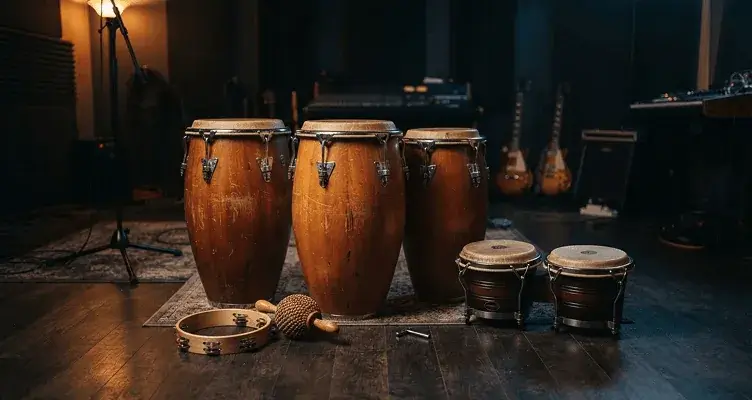
Take the drum track from a mix you have permission to use and study the groove, or mute it and program new drums around the bass and melody.
Remove drums
Keep the vocals and instruments, drop the original beat, and build your own rhythm under them.
Remove drumsPreview both tracks. Full playback and downloads require a paid purchase.
Drag in an MP3, WAV, M4A or FLAC file, up to 50 MB and 15 minutes. Your first drum removal works without signing in. Links aren't supported, so upload a file you own or have permission to process.
The AI estimates the drum kit from your finished mix and separates it from everything else. You can follow its progress on screen.
Play the 30-second preview of the drumless track and the drum track. A completed credit pack or subscription purchase unlocks full playback and MP3 downloads for both, including results from earlier songs.
The AI works from the finished mix. It doesn't have the original studio tracks, so the source you upload matters.
Studio recordings usually separate more cleanly than live ones, where room sound and mic bleed blur the parts together.
Where the kick or low toms sit on top of a heavy bass line, faint traces of the drums may stay in the drumless track. Long reverb tails may leave a little behind too.
Shakers, tambourines and hand drums may end up in either track, depending on how they sit in the mix.
Start with the drum track. Listen to it on its own and work out the groove, the fills and where the accents land, without guitars and vocals in the way. The 30-second preview is enough to check that the section you want comes through clearly.
Then switch to the drumless track and play the part yourself, with the bass and the rest of the band still there to lock in with.
This tool doesn't change tempo or pitch, and it doesn't loop. If you want to slow a tricky fill down or repeat four bars, download the MP3 and open it in your own DAW or practice app.
Upload an MP3, WAV, M4A or FLAC recording. No link imports or extra conversion steps for these supported formats.
50 MB15 minSeparate MP3 exports
| You need | Use |
|---|---|
| The song without drums, or only the drums | Drum Remover |
| All five parts: vocals, instrumental, drums, bass, other instruments | Stem Splitter |
| Just the voice and one combined backing track | Vocal Remover |
Want to make your own track instead? Create a song with the AI Music Generator.
MP3, WAV, M4A or FLAC, up to 50 MB and 15 minutes. If you have a lossless WAV or FLAC of the song, use it instead of an MP3 copy. You get back two MP3 files: the drumless track and the drum track.
No. It doesn't take YouTube, Spotify or SoundCloud links. Upload an audio file from your phone or computer that you own or have permission to process.
You can try it once without signing in. Signed-in accounts get two free separations a day, shared with Vocal Remover, Stem Splitter and Karaoke Maker, resetting at 00:00 UTC. Unpaid accounts can preview the first 30 seconds of each track; a completed credit pack or subscription purchase unlocks full playback and downloads. After your two free separations, processing costs 10 credits per uploaded minute, rounded up, and the tool shows the cost before it starts.
Taking the drums out of a song doesn't change who owns it. If it's your own recording, or you have permission, go ahead. If you want to release a cover over the drumless track, or sample the drum track from someone else's song, clear the rights with the rights holder first.
Yes. Open the page in your phone's browser, upload a song from your files, and preview both tracks there. There's no app to install, and you can move the downloads to your computer or practice app later.
A drum remover gives you two tracks: the song without drums, and the drums alone. If you need every part separately (vocals, instrumental, drums, bass and other instruments), use Stem Splitter. Want to sing along instead of play? Try Karaoke Maker.
Upload a song you have permission to use and get your drumless track.